Download Private Instagram Videos and Photos
Save private Videos, Photos, Reels and Stories from any private account
Advertisement
Download Videos and Photos from Private Instagram Online
Private Instagram downloader is a specialized solution helping you easily download videos, photos, stories, and reels from private Instagram. This tool works directly on web browsers, allowing users to access and download favorite content quickly without installing software. Although the process is more complex than standard downloads, it is the only way to save private content to your device.
This feature is designed to handle posts restricted by privacy, age, or location. It works by analyzing the post source code manually extracted by the user, then displaying all photos and videos for you to choose and download at the highest quality securely.
How to Download Content from Private Instagram Online
Note: To download photos or videos from a private account, you must be a follower approved by that account owner. The tool only supports extracting data when you have valid access to that account's content on your web browser.
Step 1: Open a browser on your device, visit Instagram.com and log in to your account (This is required to access private content you follow).
Step 2: Find the private photo or video you want to download and copy its URL from the browser's address bar.
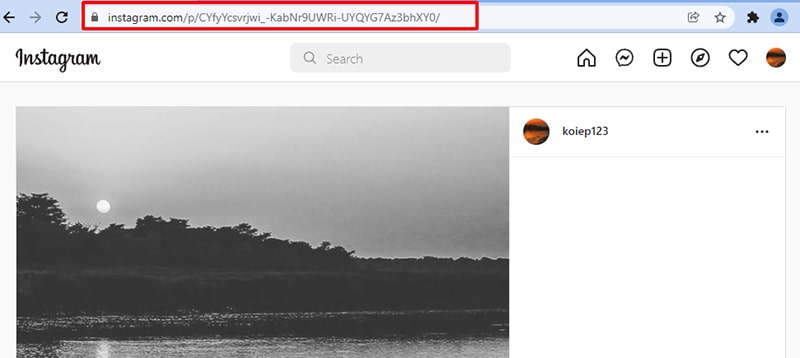
Step 3: In the same browser, open a new tab, visit https://indown.net/en/instagram-private-downloader and paste the link into input field #1.
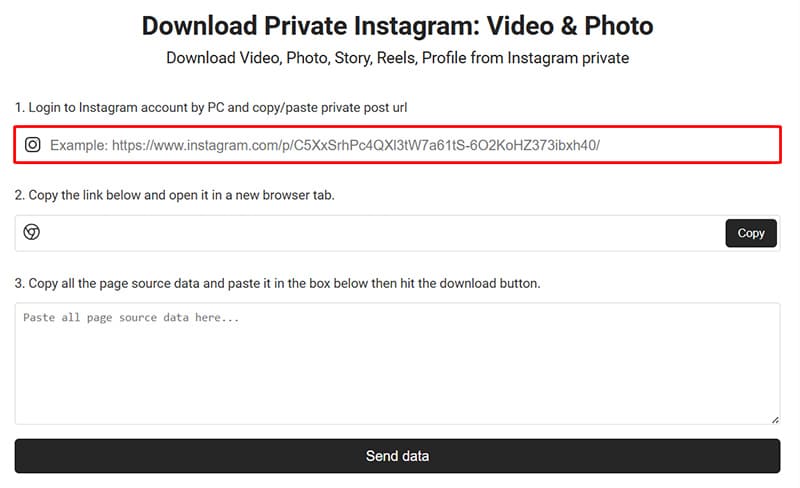
- A new link will be generated in field #2. Click the Copy button to save this link to your clipboard.
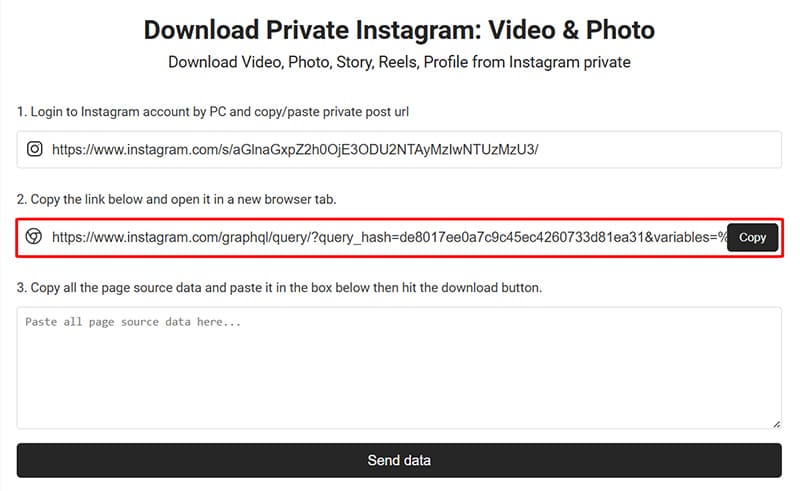
- Open a new tab, paste the copied link, and visit it to access the raw data of the private post.
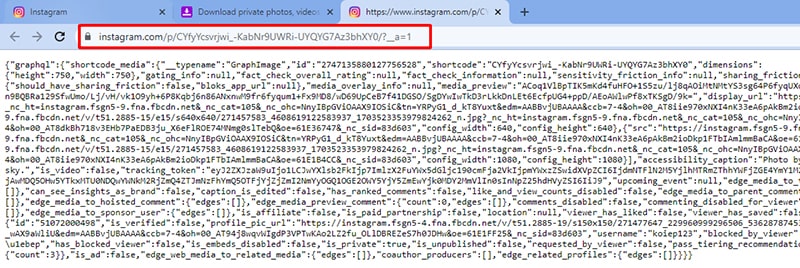
Step 4: Select and copy all the displayed text (Ensure you copy the entire source code without missing any parts).
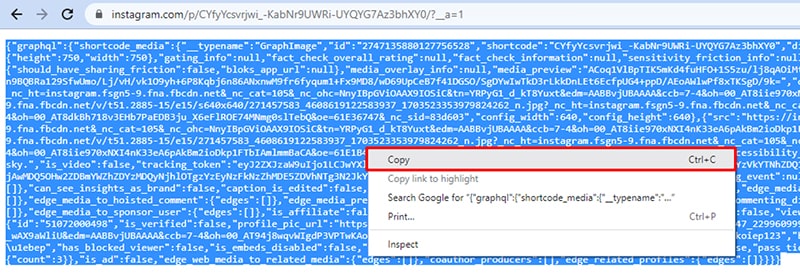
Step 5: Return to the https://indown.net/en/instagram-private-downloader tab and paste the entire copied text into input field #3.
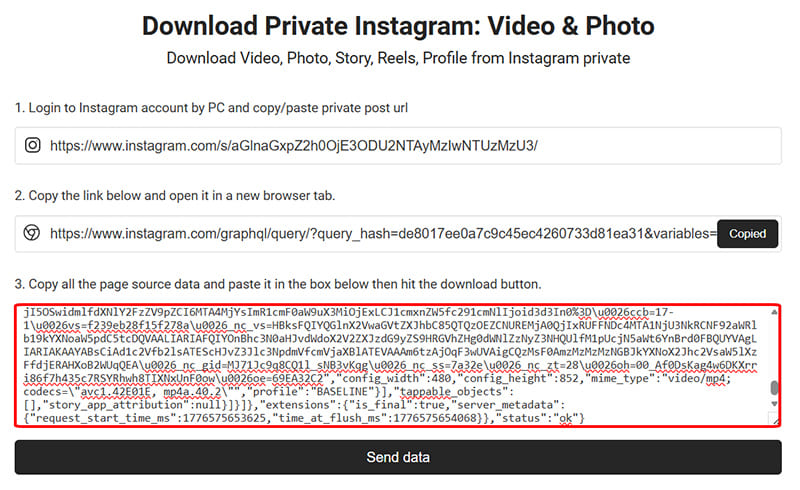
Step 6: Click the Send Data button and wait a moment while we process and extract the photos and videos.
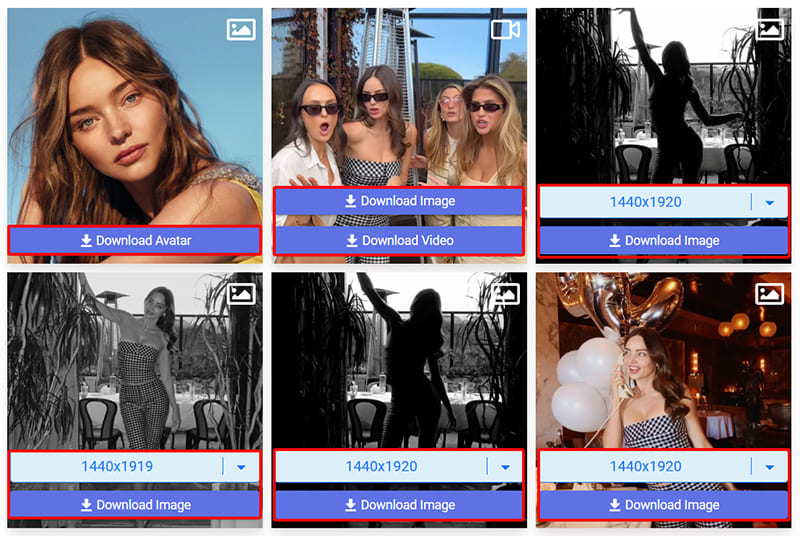
Step 7: Once completed, all photos and videos from the private post will appear, and you can download them to your device.
Why Should You Use a Private Instagram Downloader?
Instagram constantly updates algorithms to block standard downloaders, often causing errors when saving. By having users manually extract and provide the post's source code, our tool can bypass technical barriers to save your favorite content securely without being blocked.